
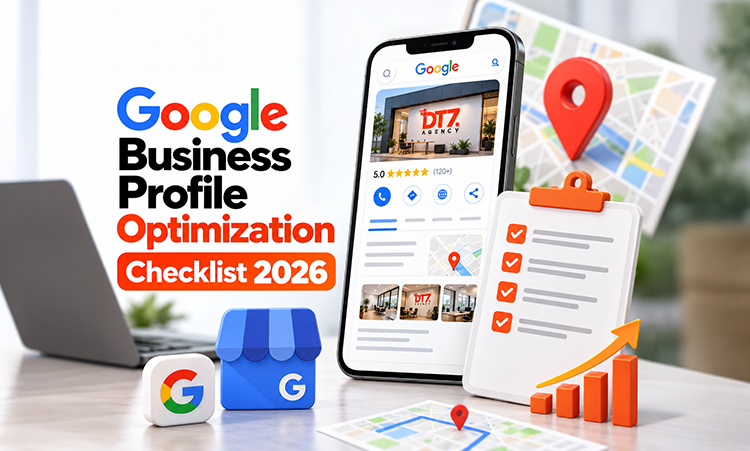
Google Business Profile Optimization Checklist 2026
Google Business Profile Optimization Checklist for Local Businesses in 2026
A local customer searches for a service on Google. They see a few businesses on Maps, check the ratings, look at the photos, compare the information and decide who to call. Sometimes, they never visit a website.
For a local business, that profile can be the first thing a customer sees before they ever visit the website or call. Setting one up is fairly easy. Keeping the information useful and up to date takes a bit more attention.
If the hours are old, the category is wrong, there are barely any photos or nobody is replying to reviews, the profile probably needs some work. So, if you are checking your profile this year, these are the things worth going through.
1. Verify and claim your Business Profile
After making sure the profile belongs to you. Check if the profile is verified and ensure that someone from your business has access to manage the same. This will give you control to handle the information which people will be seeing when they find your business on General Search or Maps.
If someone else created the profile earlier, sort out the access first. There is no point making changes to a profile you may not be able to manage later.
Also, don't create extra profiles just to target another keyword or nearby location. If the business already has a legitimate profile, work on that one instead.
If you're unsure about any of this, Google's own Business Profile guidelines are worth checking before you make changes.
2. Get the business information right
This sounds obvious, but it is one of the easiest things to get wrong.
Check your:
- Business name
- Address
- Phone number
- Website
- Business hours
- Special or holiday hours
- Service area, where applicable
- Business category
- Business attributes
The information on your profile should match the way your business is actually represented.
Do not add extra keywords to your business name just because you want to rank for them. If your actual business name is "ABC Dental Clinic", changing it to "ABC Dental Clinic Best Dentist in Guntur" is not Google Business Profile optimization. It is keyword stuffing.
Google says local results are mainly affected by relevance, distance and prominence. Keeping the basic business information accurate gives Google clearer information about what the business is and where it operates.
3. Choose the right primary category
Your primary category tells Google what your business mainly does.
A restaurant should not select a category simply because it has a larger search volume. A dental clinic should not choose a generic healthcare category if a more specific relevant option exists.
Think about the main service customers associate with your business. Then look at secondary categories carefully. Only add categories that genuinely describe what the business offers. Don't add anything that will make the business profile messy. Stick to the ones that actually describe what you do.
There isn't much point chasing categories just because they sound like useful keywords. Only select those which fit your business.
4. Complete your services and business information
Once the basics are correct, go through every relevant section of the profile. Add the services you actually provide. Where Google allows additional information, use it properly.
For example, a dental clinic may list:
- Dental implants
- Root canal treatment
- Teeth cleaning
- Orthodontics
A digital marketing company might list:
- SEO
- Social media marketing
- Google Ads
- Website development
The point is not to turn every field into a list of keywords. The point is to make the profile useful enough that both Google and potential customers understand what you actually offer.
If you are also working on the wider website side of local visibility, our guide on local SEO services in Guntur covers some of the other areas that support local search visibility.
5. Add real photos regularly
A profile with one logo and two stock-looking images does not tell customers much. Add real photographs of the business.
Depending on the type of business, that could include:
- Storefront photos
- Office or clinic interiors
- Team photographs
- Products
- Services being delivered
- Completed projects
- Equipment
- Work in progress
The images should represent the actual business.
You don't have to keep uploading something just for the sake of showing activity. A few good photos of the actual business are more useful than a gallery full of random images.
6. Build a proper review process
Most people will look at the reviews before deciding whether to contact a local business. Businesses obviously pay attention to them too. That doesn't mean trying to manufacture a wall of five-star reviews.
Ask customers who have actually dealt with the business if they'd be willing to leave a review. Keep the process simple enough that they can do it without having to figure out what to click or where to go. Then respond to the reviews you receive.
Thank customers for positive feedback. If someone raises a genuine problem, respond professionally and address the issue where possible. Do not copy the same reply under every review.
A simple "Thank you for your valuable feedback" repeated 200 times does not tell anyone much. Your responses should sound like an actual business communicating with actual customers.
7. Keep your profile active and accurate
Your local presence needs a little attention from time to time. Businesses change. Opening hours change. Services change. Locations change. New products are introduced. Old services disappear.
Your Google Business Profile should reflect those changes.
Every now and then, open the profile and check it like a customer would. Make sure the hours, services and other details still make sense. If you use profile updates, post things that customers might actually care about. A new service, an event, a useful announcement or a genuine offer can make sense. There is no need to turn every update into another sales post.
8. Watch what customers actually do
Google provides performance information for verified Business Profiles, including how customers discover and interact with the profile.
Once you have some data, look at what people are actually doing. Are they finding you through Search or Maps? Are they clicking through to the website, calling the business or asking for directions? Over time, those patterns can give you a better idea of where your local visibility is coming from.
The numbers won't explain everything, but they can give you a useful picture of how people are finding and interacting with the profile.
9. Connect your Business Profile with the rest of your local SEO
Your profile does not exist separately from your website. Your website should clearly explain what the business does, where it operates and which services it provides. Your important business information should also be consistent across relevant online listings and directories.
Local landing pages, useful content, technical SEO, reviews and your Business Profile can all work together as part of a broader local SEO strategy. This is where many businesses stop too early. They optimize the profile but ignore the website. Or they build a website but never maintain the profile. Or they collect reviews but do nothing with the information customers are actually looking for.
Local search works better when these pieces make sense together.
If you're comparing different ways to generate local enquiries, our article on Local SEO vs Google Ads for small businesses explains how the two approaches serve different purposes.
10. Run through this checklist regularly
Use this as a simple recurring check:
- Profile claimed and verified
- Business name accurate
- Correct primary category
- Relevant secondary categories
- Address and service area accurate
- Phone number correct
- Website link working
- Business hours updated
- Special hours checked
- Services listed
- Relevant attributes completed
- Recent, genuine photos added
- Customer reviews monitored
- Reviews answered properly
- Business updates shared when useful
- Website information matches the profile
- Local listings checked for consistency
- Profile performance reviewed
You do not need to change something every day. You do need to notice when something has become outdated.
Google Maps ranking is not just about filling every field
One of the biggest misconceptions around Google Maps SEO is that there is a secret checklist that guarantees the top position. There isn't. Google itself says there is no way to request or pay for a better local ranking. Local results depend on factors including relevance, distance and prominence.
That means Google Business Profile optimization should not be treated as a race to tick every possible box. The better approach is simpler.
Make the business information accurate. Make the profile useful. Keep it updated. Always give customers an authentic reason to trust your business. Build reviews naturally. Keep the website and other local signals consistent.
Then keep monitoring what happens.
Final thoughts
A Google Business Profile is easy to create. Maintaining one properly takes more work. For a local business, that work can have a direct connection to how customers discover the company, check its reputation and decide whether to call, visit or enquire.
So before spending more money trying to improve local rankings, go through the basics first. Your business name, category, information, services, photos, reviews, website and local presence should all tell the same story.
That is what good Google Business Profile optimization looks like in 2026.
If you need help putting the pieces together, DT7's SEO services cover the broader search work that sits around local visibility, from SEO planning and content to optimization and execution.